
Install guide
How to install AiyoPerps on Windows x64
This guide walks desktop users through downloading the Windows x64 release from GitHub, extracting the package, launching the app, and verifying the first startup.
Requirements
- Windows x64 environment
- Access to GitHub Releases
- Permission to extract files into a local folder
It is usually best to extract the app into a stable location such as C:\Apps\AiyoPerps or another tools directory under your user profile.
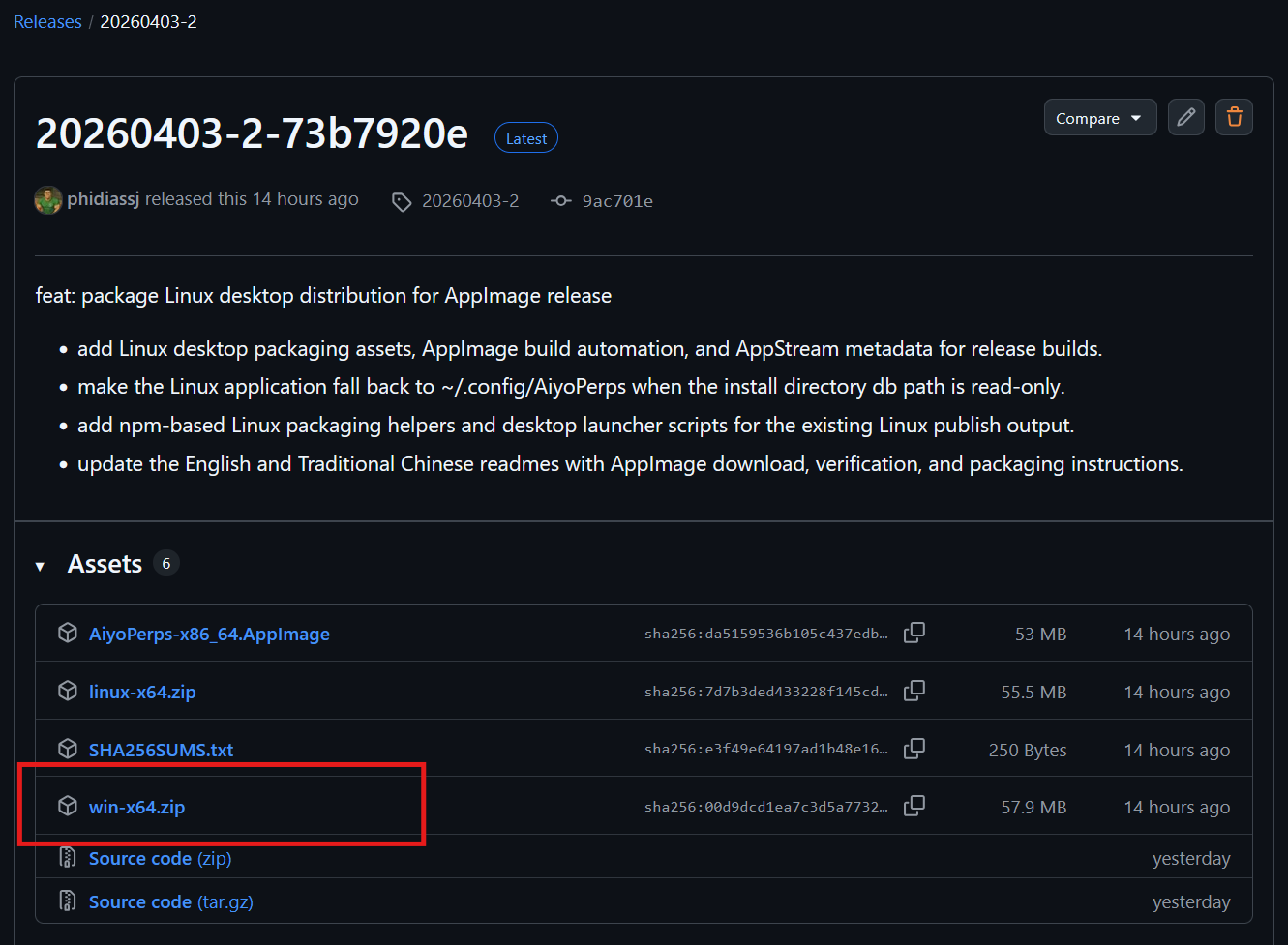
1Download the Windows x64 release
Open GitHub Releases, find the Windows x64 package, and download it to your local machine.
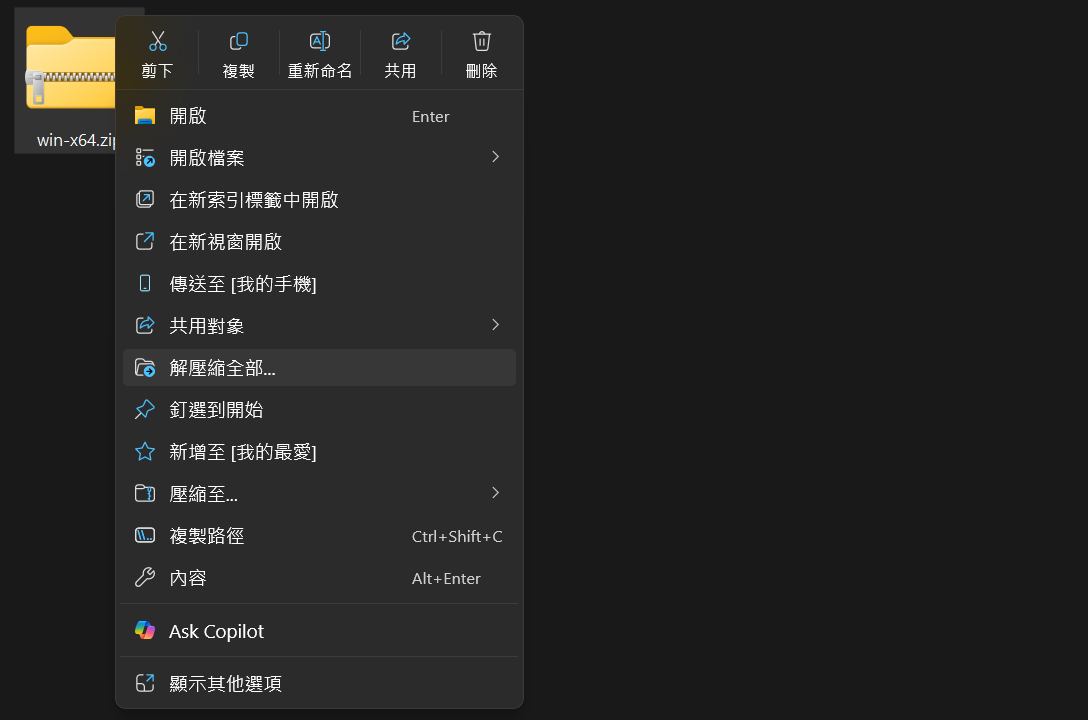
2Extract the package into a fixed folder
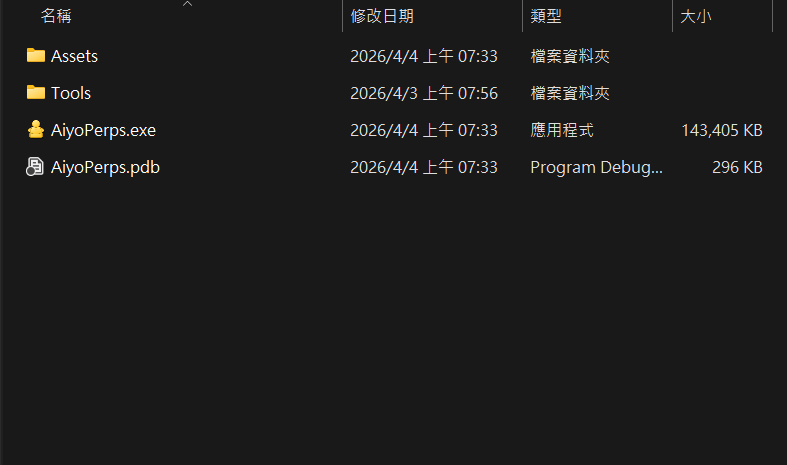
Extract the full package and make sure the folder contains the executable plus all bundled dependencies. Do not run the app directly from the zip archive.
3Launch AiyoPerps.exe
Run AiyoPerps.exe from the extracted folder. If Windows shows a security prompt on first launch, verify the source and allow execution.
AiyoPerps.exe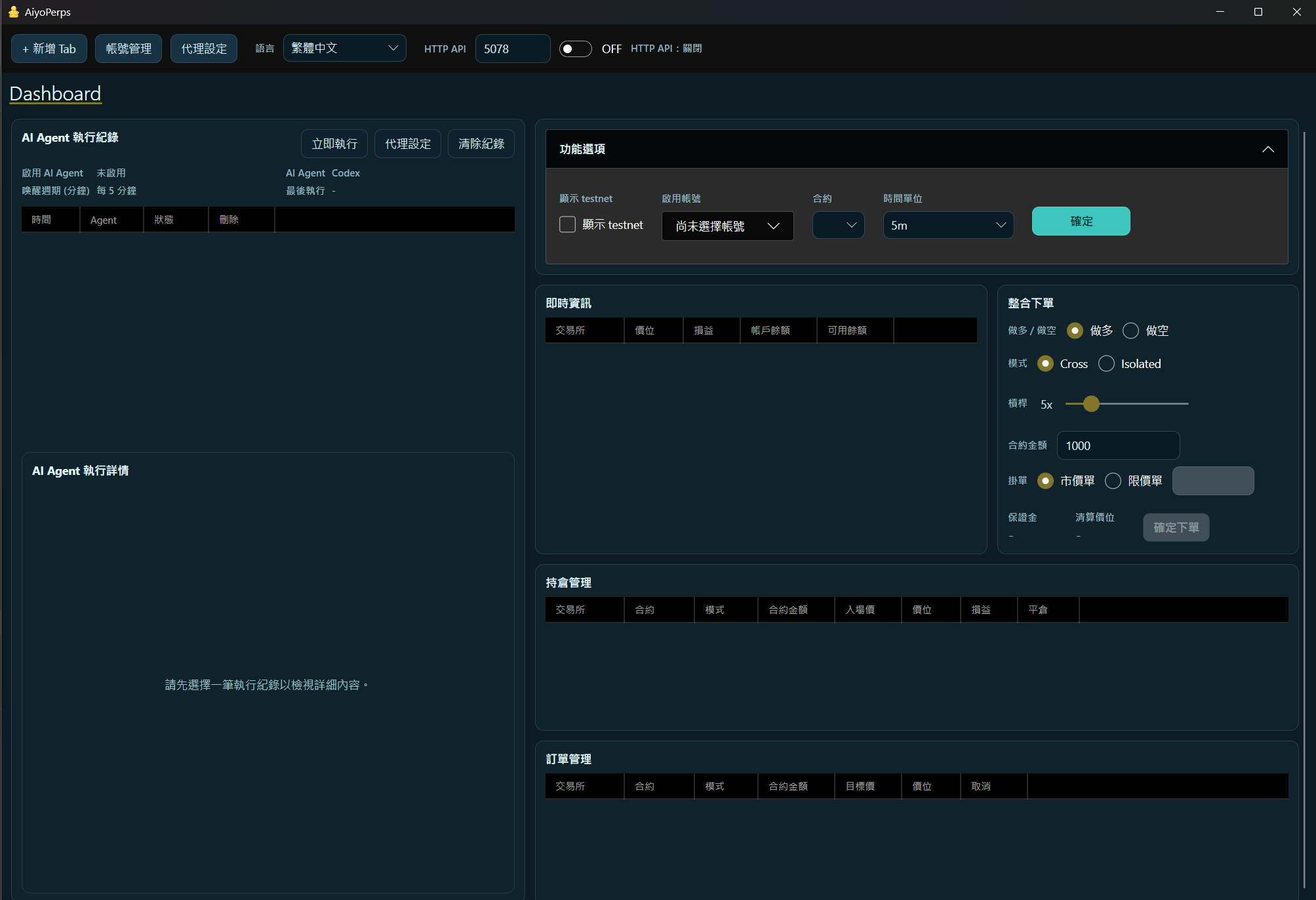
How to confirm the installation worked
- The main window opens normally.
- The app does not crash immediately or report missing files.
- You can see the primary workspace and top toolbar.
Next step
Continue to desktop workflows
After installation, the next step is account setup, Dashboard usage, and exchange-specific tabs.
Open desktop workflow guideNeed API or MCP only?
If you only need local service endpoints for automation, move to the Docker headless flow instead.
View Docker headless guide